Your curiosity deserves to stay.
Highlight. Memorize. Forget.
Now for Real.
You read, watch, and listen.
How much do you remember?
Let’s add AI and spaced repetition to your learning process
to create flashcards that make it stick.
 Start in browser
 Chrome Extension
 Create with AI
Built for your learning, with Anki in mind.
Create and study in your browser, or take your cards to Anki.
Keep what matters
Highlight content from Anywhere
A passage, a new idea, a whole document. Give it a place in your memory.
Make it part of your routine


More than repetition
Use AI to create
mnemonic devices
You probably already use some of them, or know that you should.
Let’s make it easy to remember.
Mnemonic generator
Turn a difficult fact into a memorable phrase. Add your mnemonic to a flashcard and keep the connection alive.
“My Very Educated Mother Just Served Us Noodles.”

Major system
Associate numbers with consonants to create words. Turn a number into something you can visualize and remember.




Memory palace
Picture a familiar place. Associate its rooms and objects with the information you want to remember.
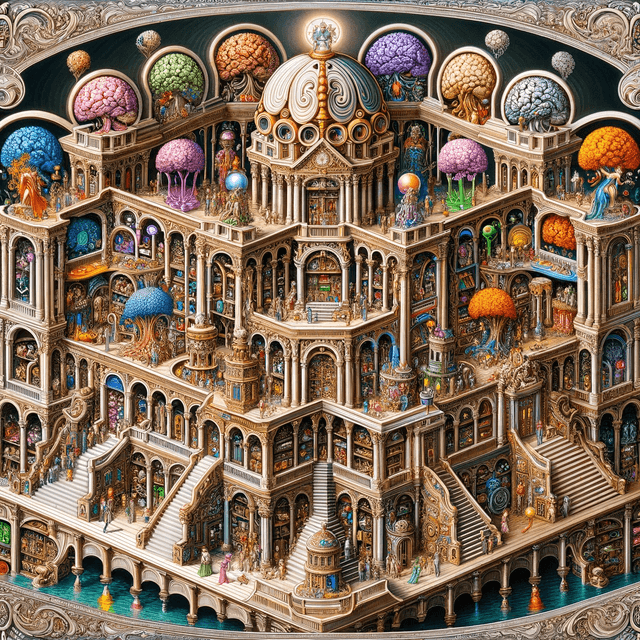 Explore the technique
 Got a question?
We might have a flashcard
with the answer.
A few things you might be wondering about Phagos.
Do I need Anki?
You can create and study decks in Phagos. Anki is optional: import or export your collection, or connect Anki Desktop through AnkiConnect in Settings.
How do I create my first deck?
Open the app and choose Create Deck. Give it a name, then add your own cards or use Create with AI to turn source text into flashcards.
How do I configure the extension?
Download and unzip the extension, open Chrome’s extensions page, enable Developer mode, and choose Load unpacked. Select the extracted folder, then configure your connection in the extension’s settings.
Nothing happens when I send a card to Anki.
Open Anki Desktop and check that AnkiConnect is installed. Verify the connection in Settings, and make sure the selected note type has the fields your card needs.